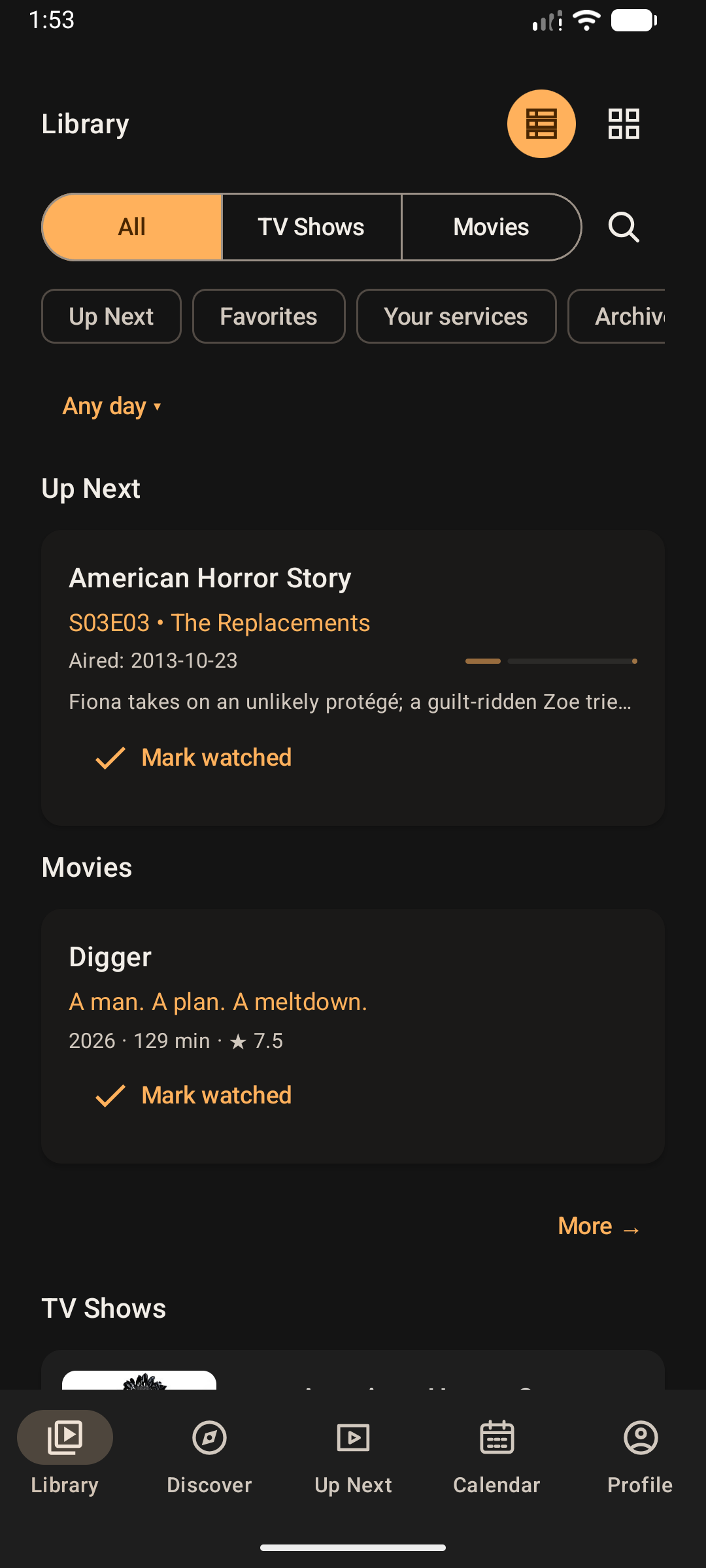
Library & tracking
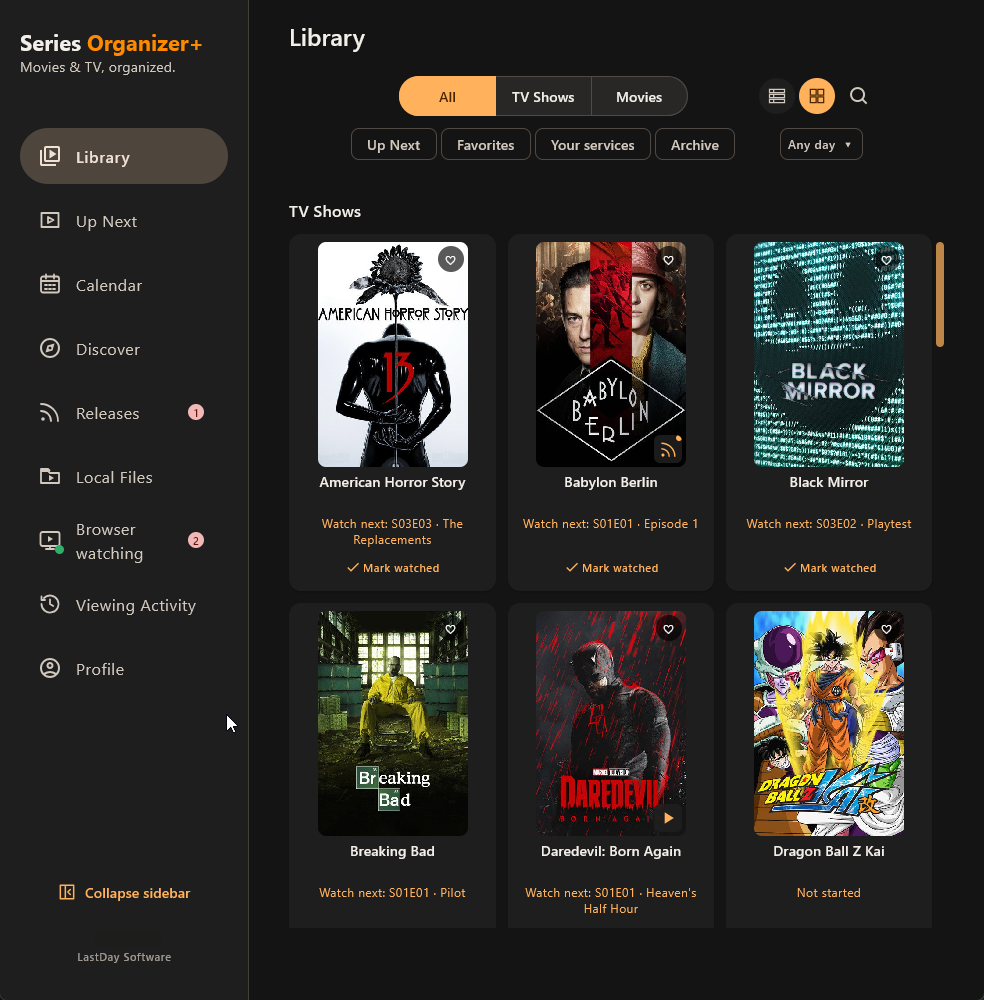
Keep movies and TV together with progress-aware cards, quick watched actions and favorites.
ANDROID ON GOOGLE PLAY · WINDOWS v2.1.0
Keep movies and TV together. Track your progress, discover what to watch next, and explore the people and details behind every title.
GET SERIES ORGANIZER+
Get Series Organizer+ on Google Play for Android or download the Windows installer. Build your Library and pick up where you left off.
Local-first on both platforms, with optional account sync and Cloud Backup.
Available on Google Play
Requires Android 10 or later
Get it on Google PlayInstall and receive updates through Google Play. Availability depends on your device and region.
Windows installer (.msi)
File size: 90,210,304 bytes (86.03 MiB)
Download installer5036BBF09486FCE866B3F7E811C4551E01AB953957A267326DD9EC9F73F7EFC5This installer is unsigned, so Windows may show an unknown-publisher warning. Download only from this official page.
THE NEXT GENERATION OF SERIES ORGANIZER
The original problem was simple: remember where the story stopped.
Series Organizer+ takes that idea much further with movies and TV together, rich title details, discovery, Up Next, calendar views, cast and artwork exploration, notifications, and optional cloud backup.
Familiar roots. A much bigger product.
WHAT SERIES ORGANIZER+ DOES BEST
The experience starts with tracking, but it quickly becomes a richer place to browse, revisit and explore everything around the titles you care about.
Keep movies and TV together with progress-aware cards, quick watched actions and favorites.
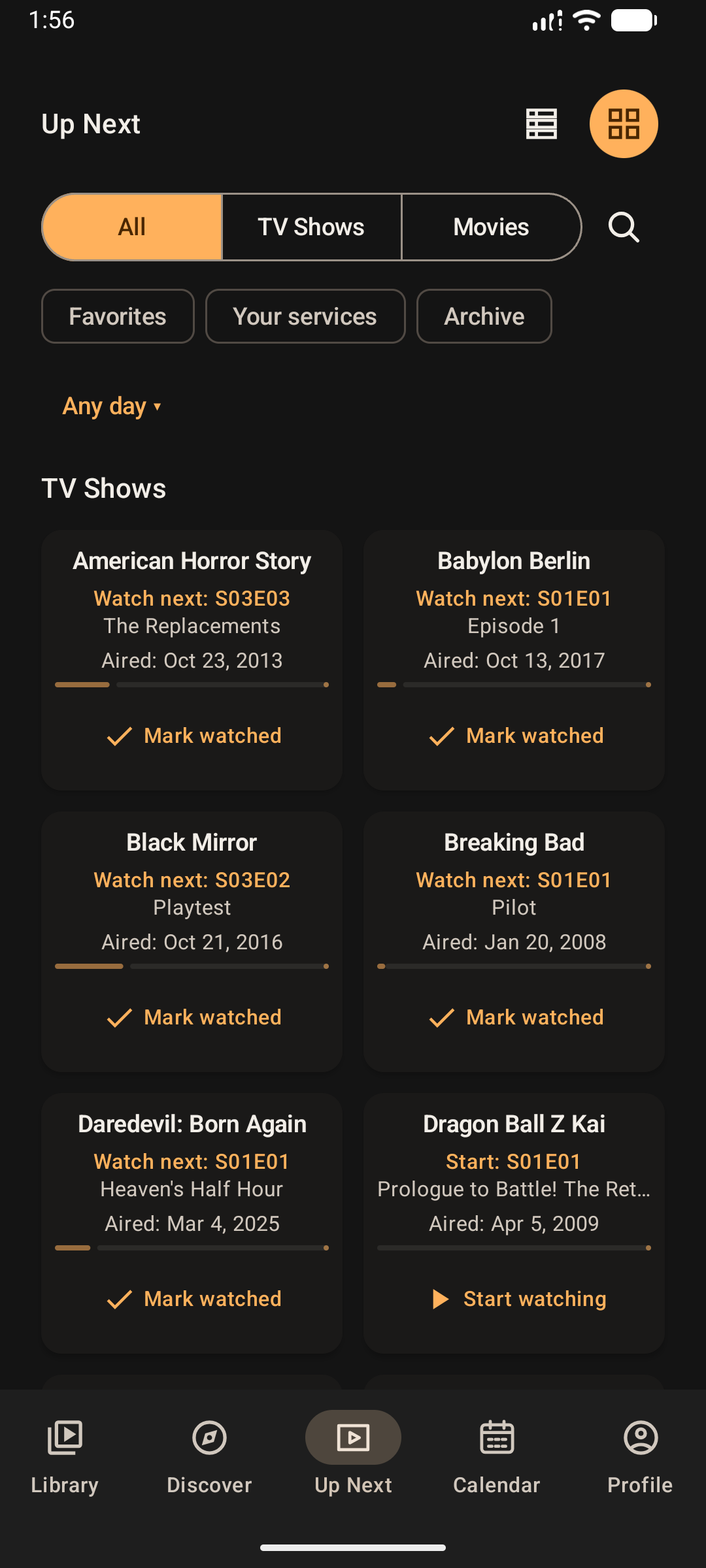
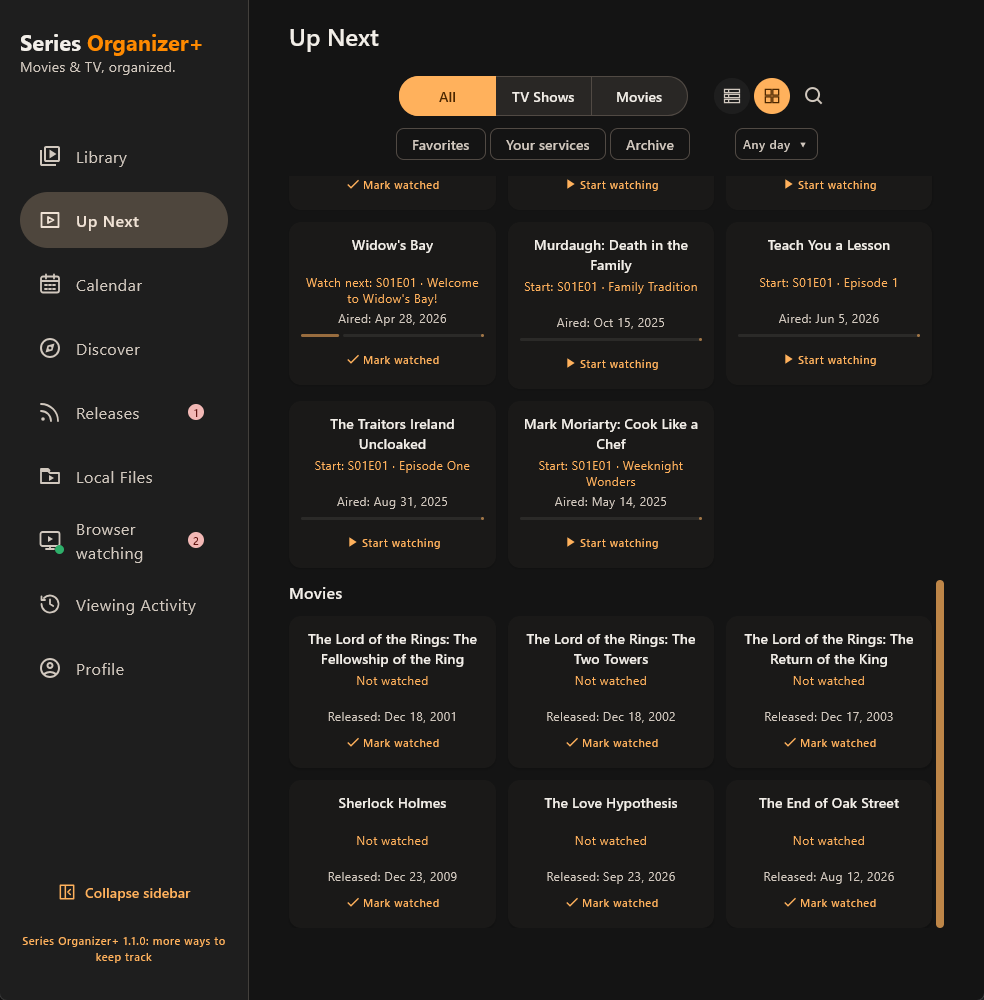
See what is ready to continue, what is waiting for the next episode and what deserves attention now.
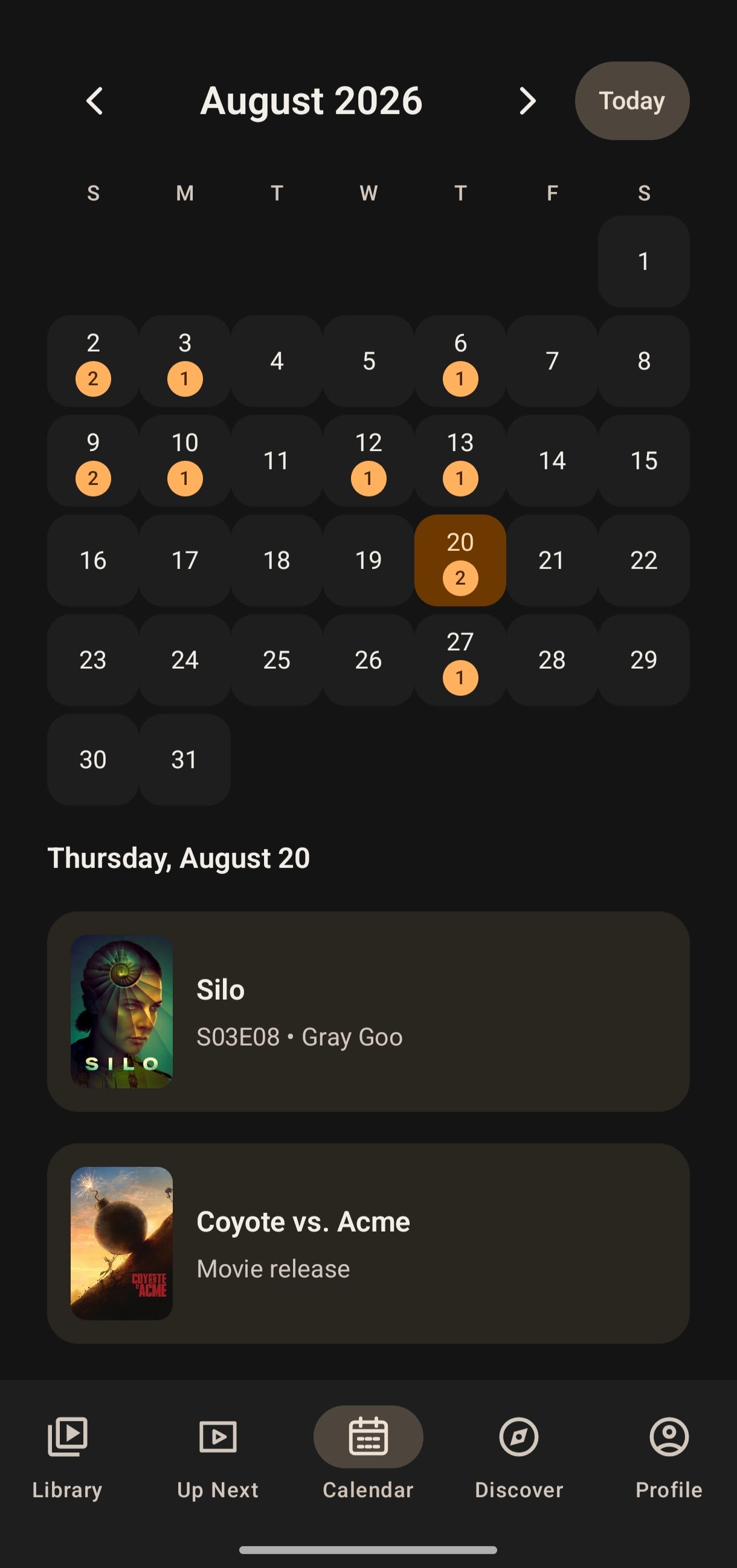
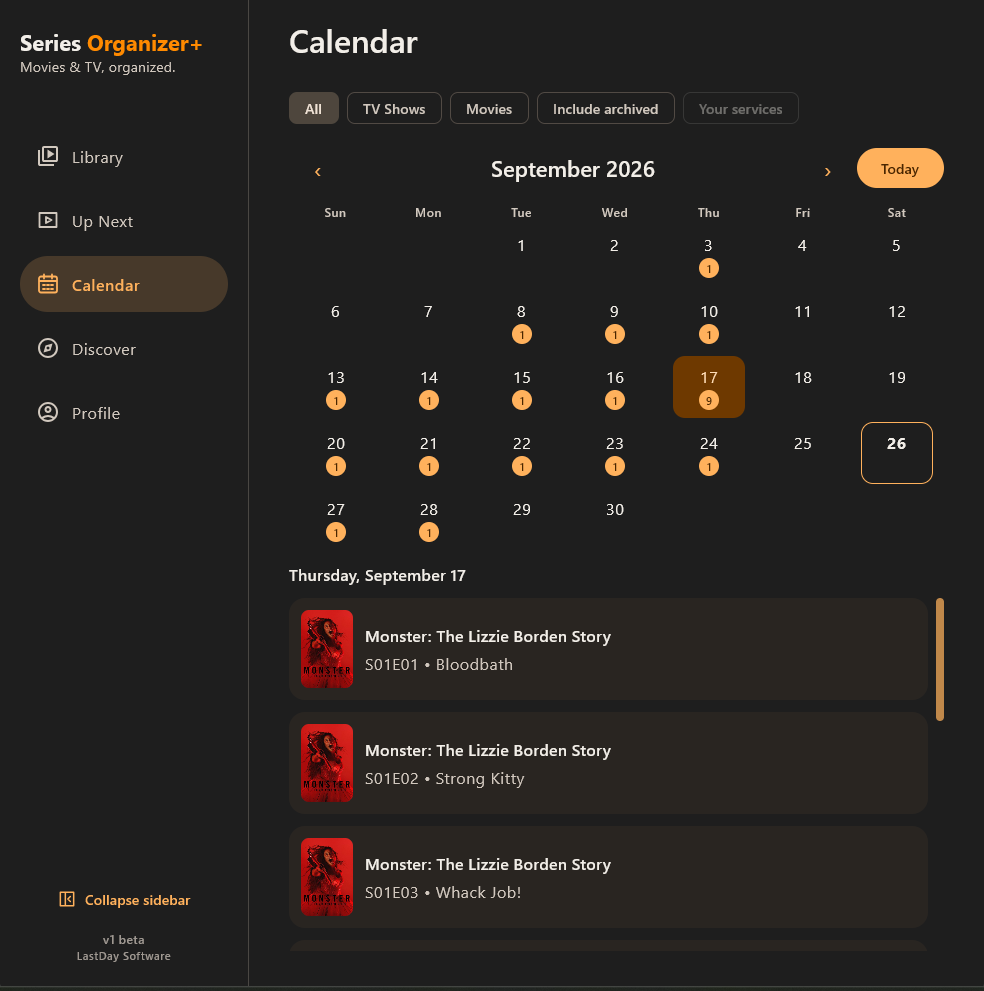
Browse upcoming episodes and movie dates in a cleaner timeline-oriented view of your watch life.
Search, browse, filter and get personalized recommendations from what you already watch.
Explore people, credits, posters, backdrops, artwork and more around every title.
Stay local-first by default, with optional Google sign-in for manual backup and restore.
ANDROID & WINDOWS
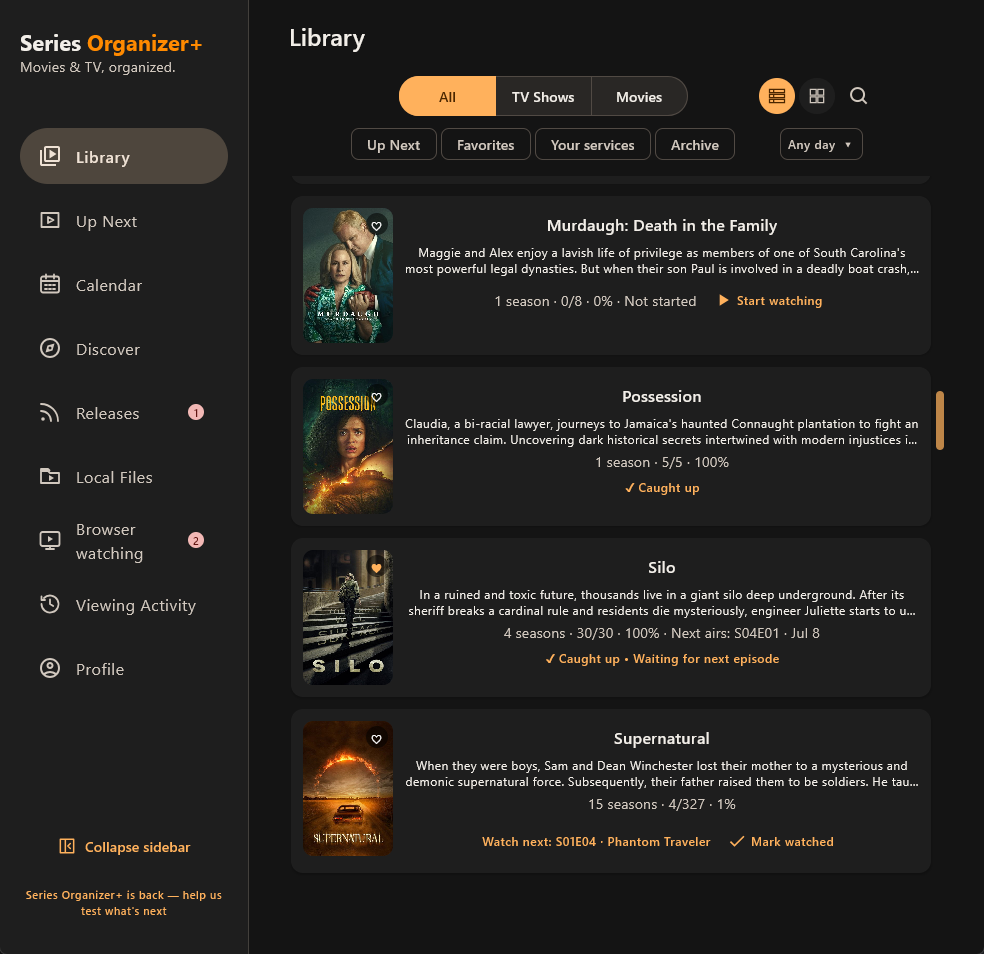
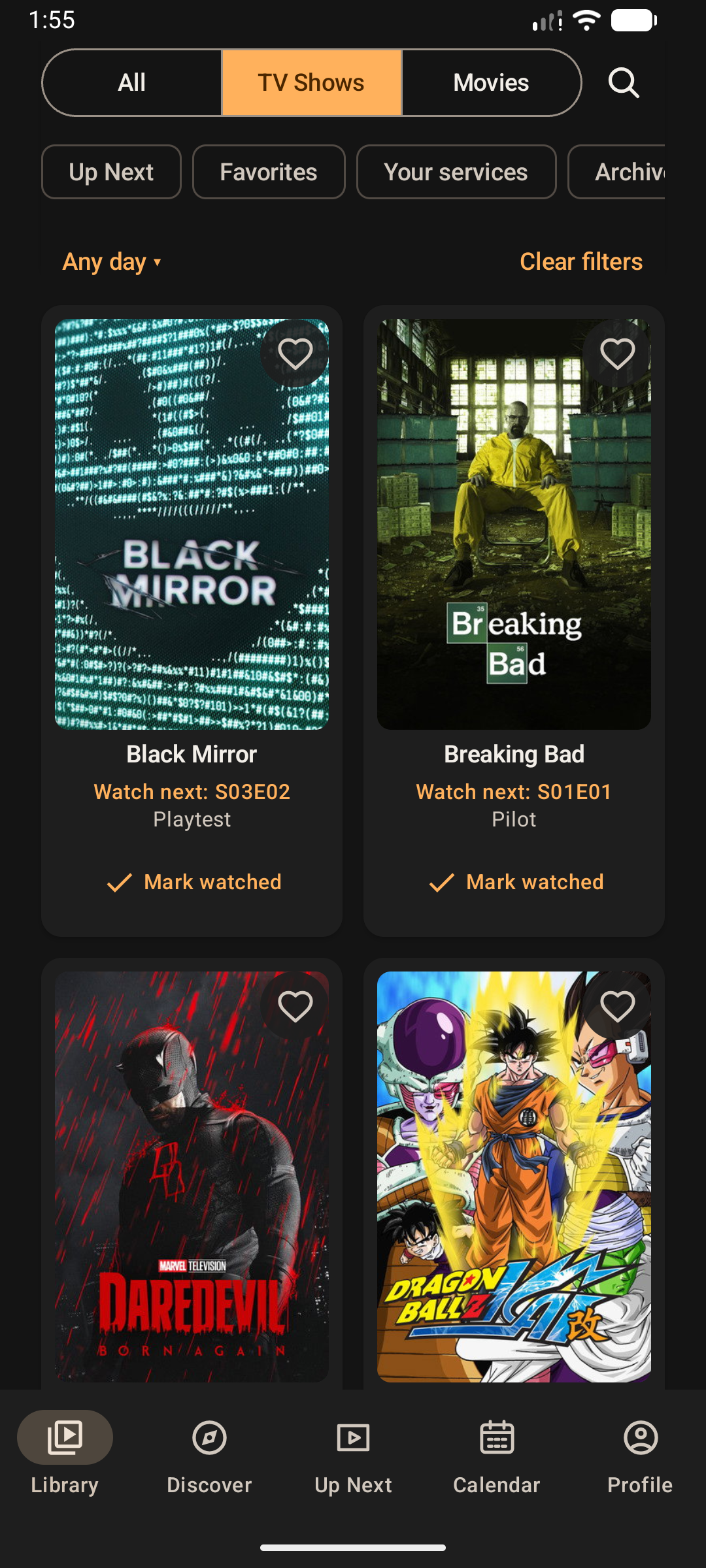
Android and Windows 2.1.0 bring Detailed and Grid views to Library, Up Next and Discover. Combine media, favorites, archive and date filters where relevant, or narrow your own Library to Your services.
Explore both apps below. Android is now available on Google Play, alongside the public Windows release.
BROWSER WATCHING · WINDOWS + CHROME
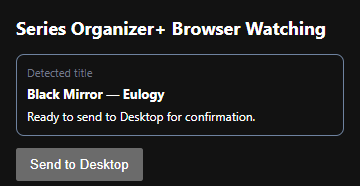
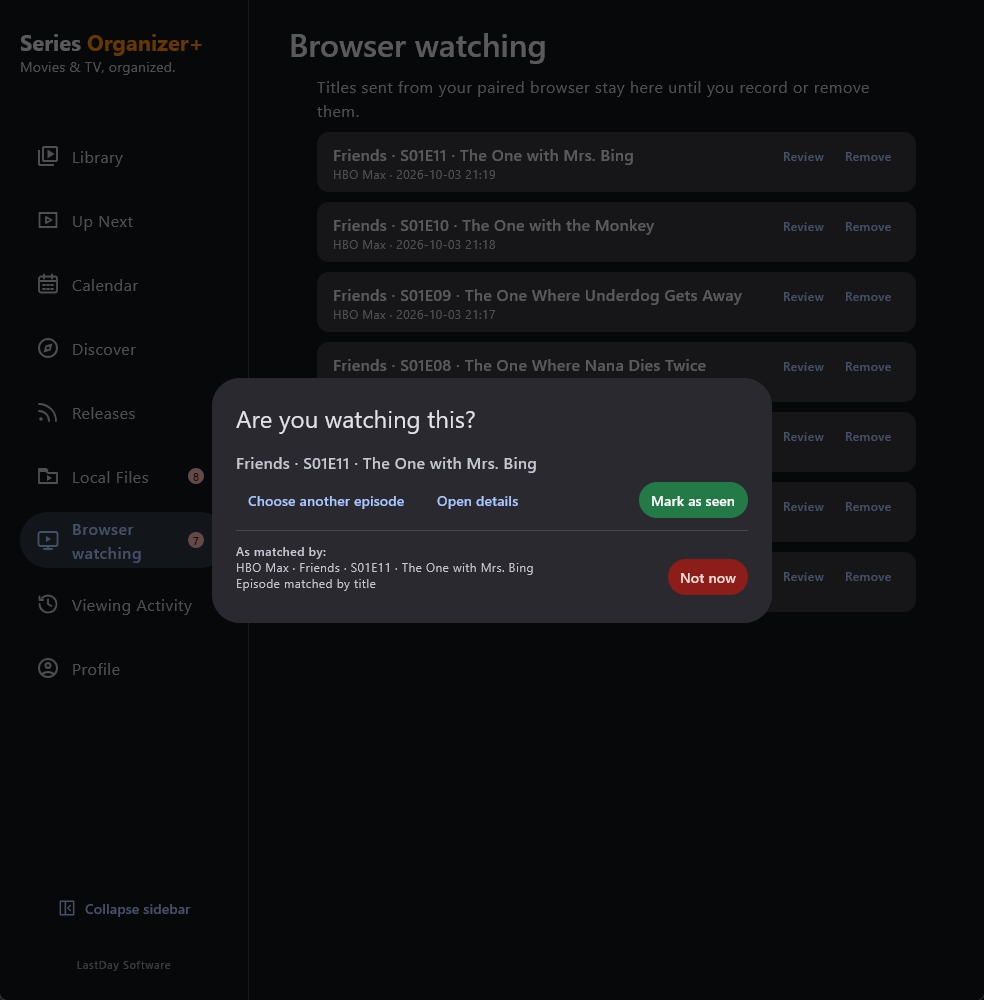
The companion Chrome extension is now available in the Chrome Web Store for Netflix, HBO Max, Prime Video, Apple TV and Disney+. Pair it with Desktop, send a detected title and check the match before recording a watch.
Nothing is marked as seen just because you stream or send a title. Browser Watching is optional and requires Chrome and Desktop on the same computer.
Install from the Store, then approve local pairing in Desktop. No Developer mode is needed for the Store version. The Windows installer does not install or enable the extension automatically; its bundled copy remains a manual fallback.
PLATFORMS
Keep your Library close on Android and at home on Windows. Both apps are publicly available, with optional account sync for supported Library data and profile settings.
Library tracking, discovery, people, media, notifications, Calendar and Cloud Backup come together in the Android app. Install it from Google Play on Android 10 or later.
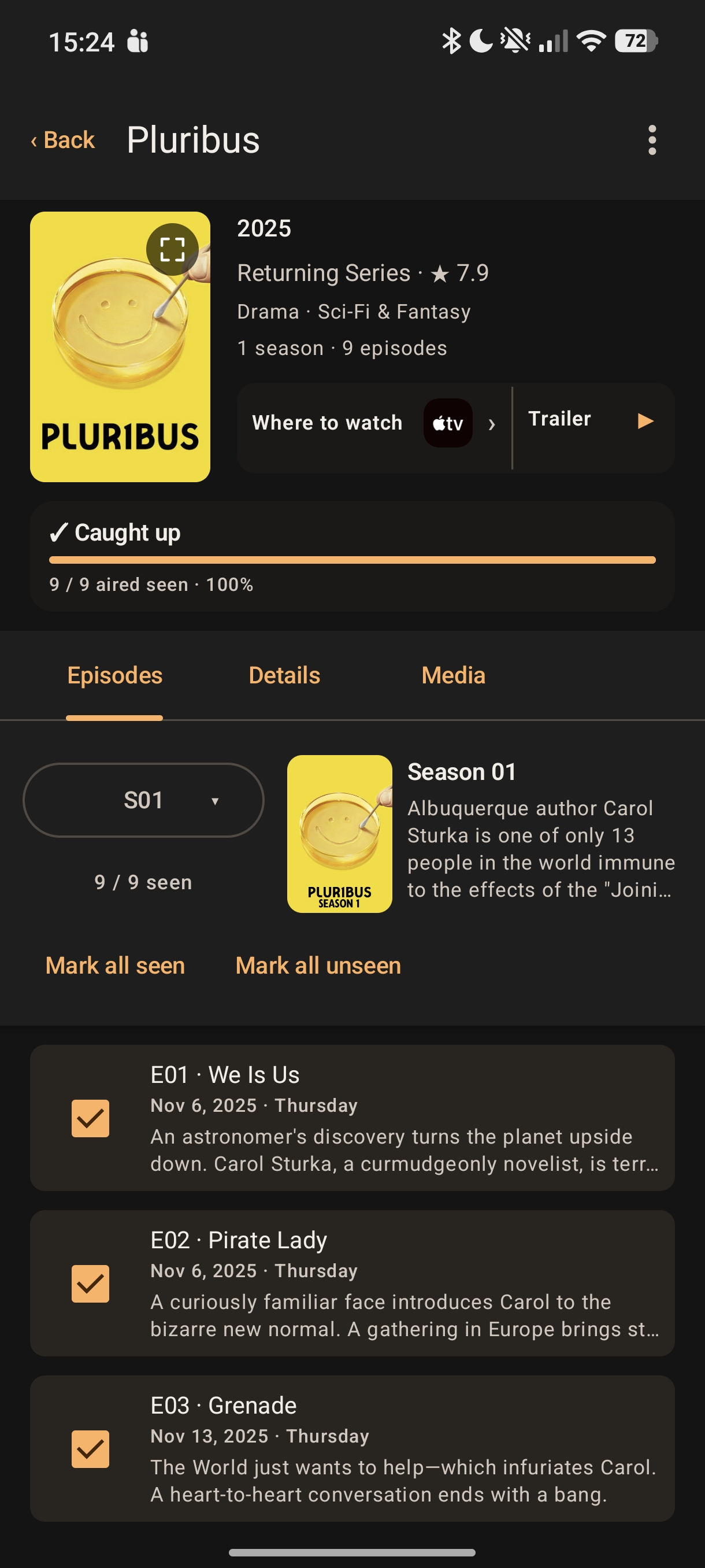
Version 2.1.0 adds Browser Watching, new Grid views, shared filters and stronger account sync.
Library Grid · choose the view that fits
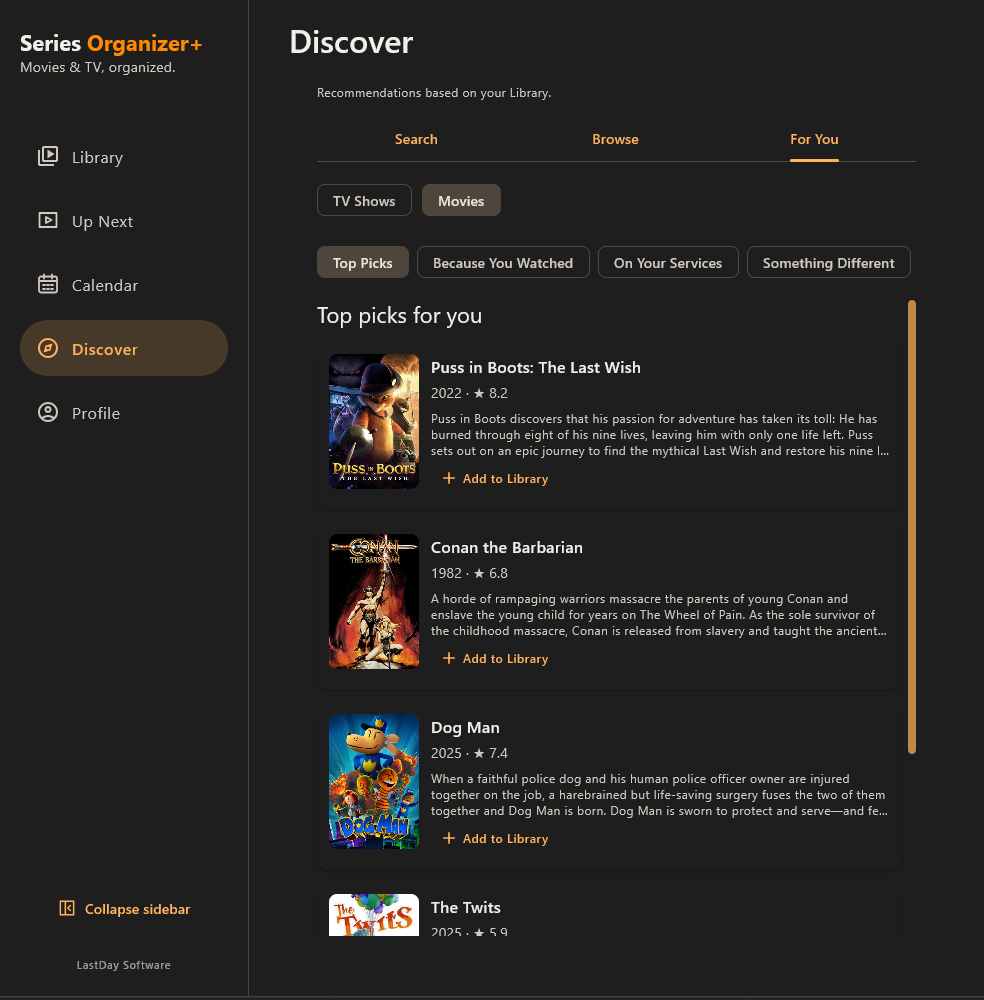
For You · recommendations shaped by your Library
DISCOVER
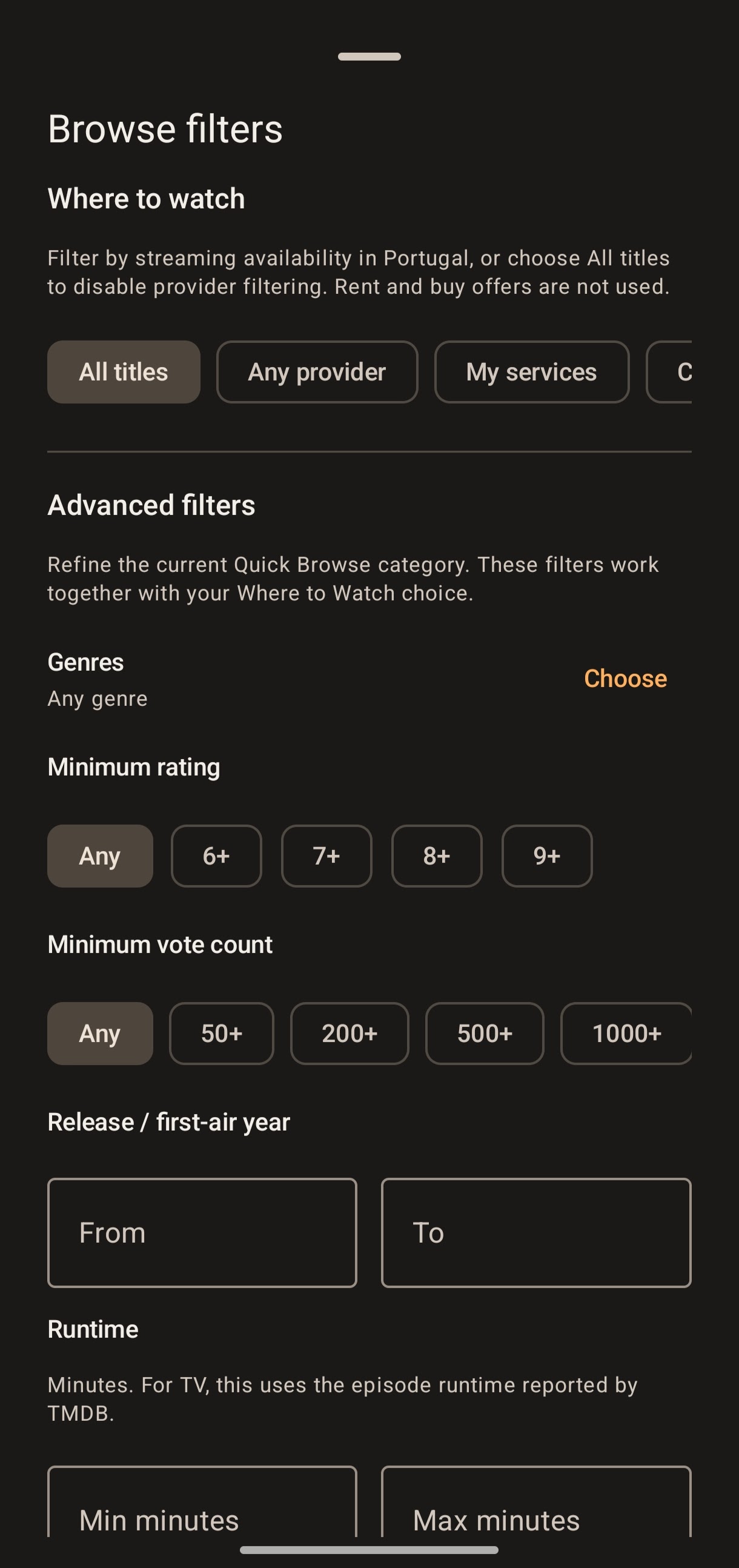
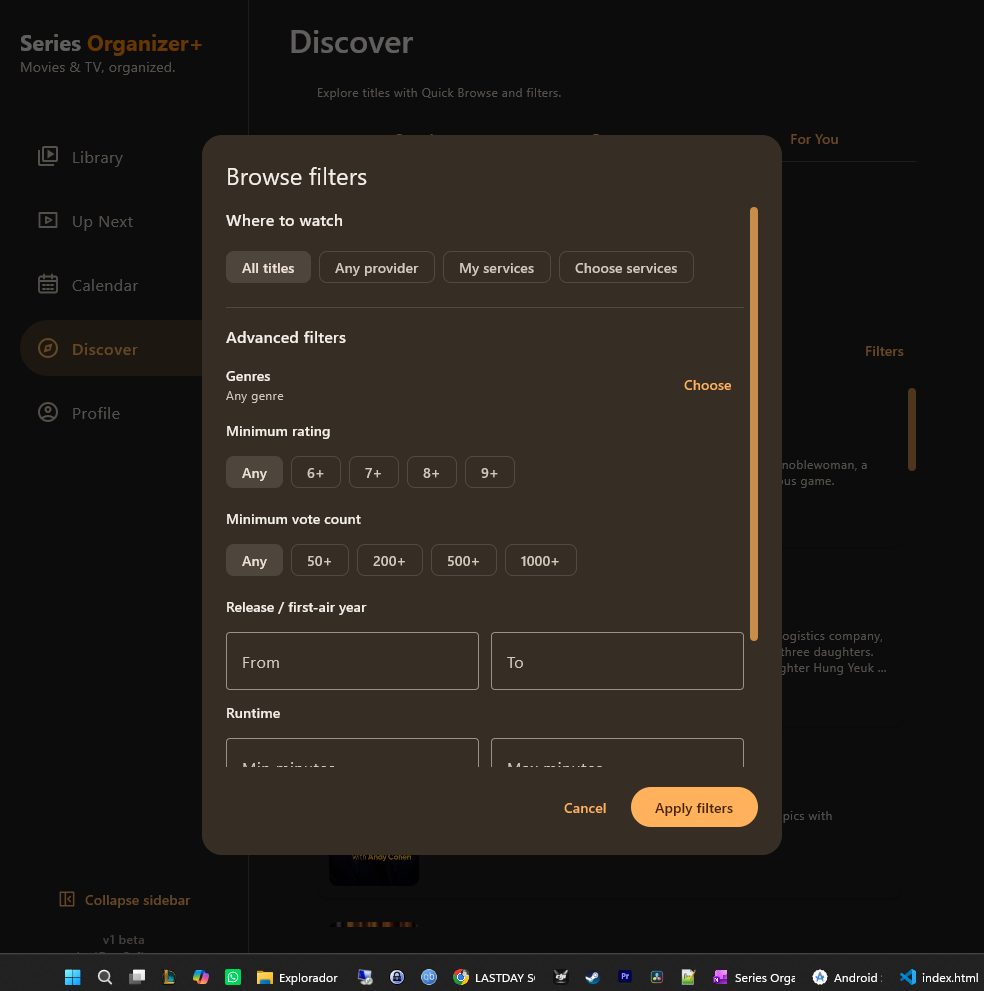
Browse what is popular or currently airing, narrow things down with advanced filters, or lean on recommendations shaped by your own Library.
TIME & MOMENTUM
Whether you want a quick answer about what to continue next or a broader view of upcoming episodes and releases, Series Organizer+ keeps your watch life visible.
RICH DETAILS
Title details are meant to be a hub, not a dead end — with episodes, artwork, people and adjacent browsing all connected.
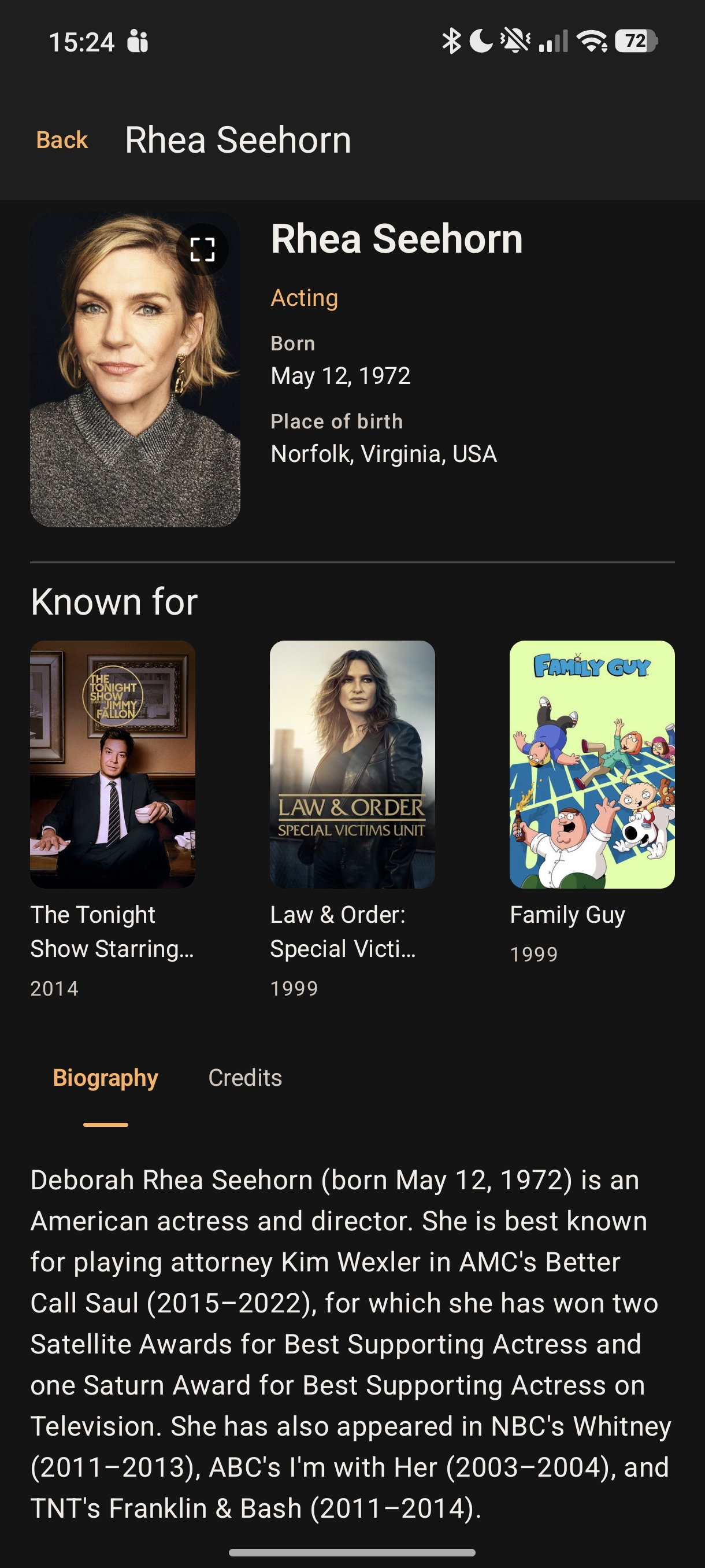
Move from a show to its cast, then onward into credits and related titles.
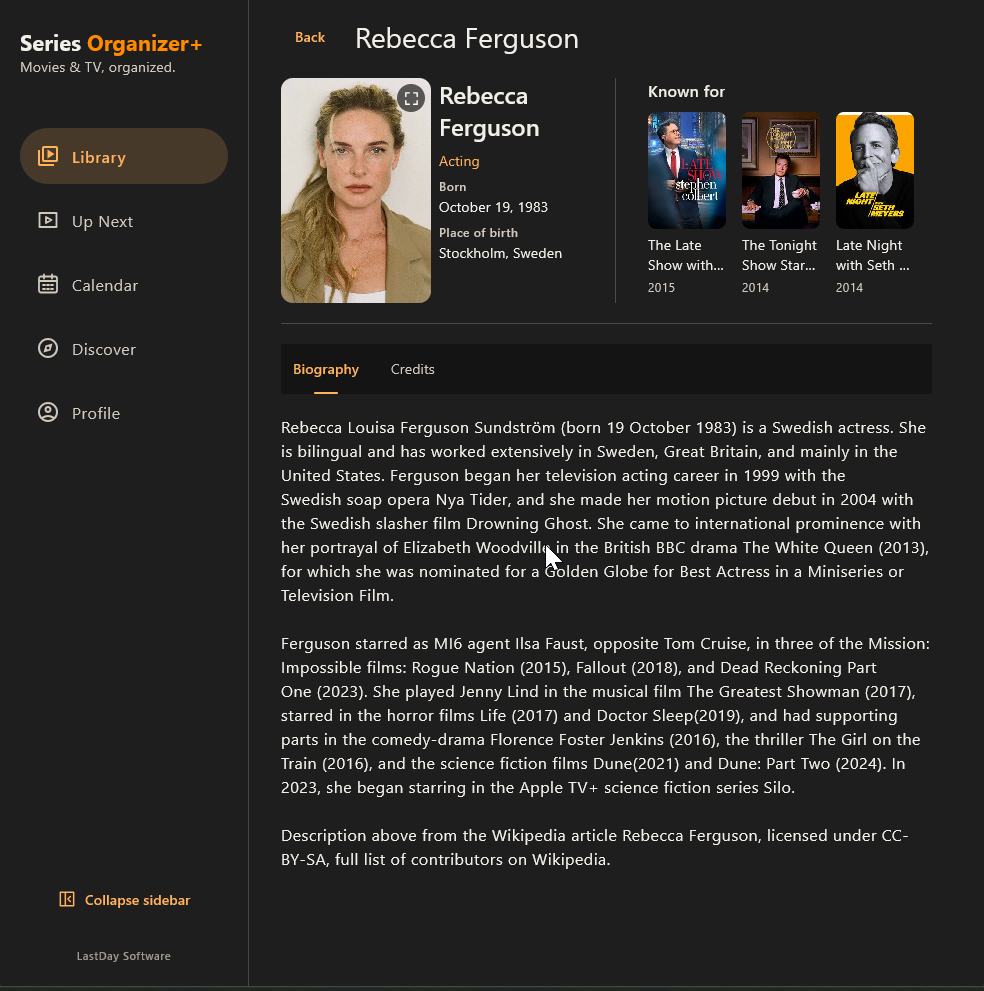
Browse cast biographies, credits and related titles from the Windows app.
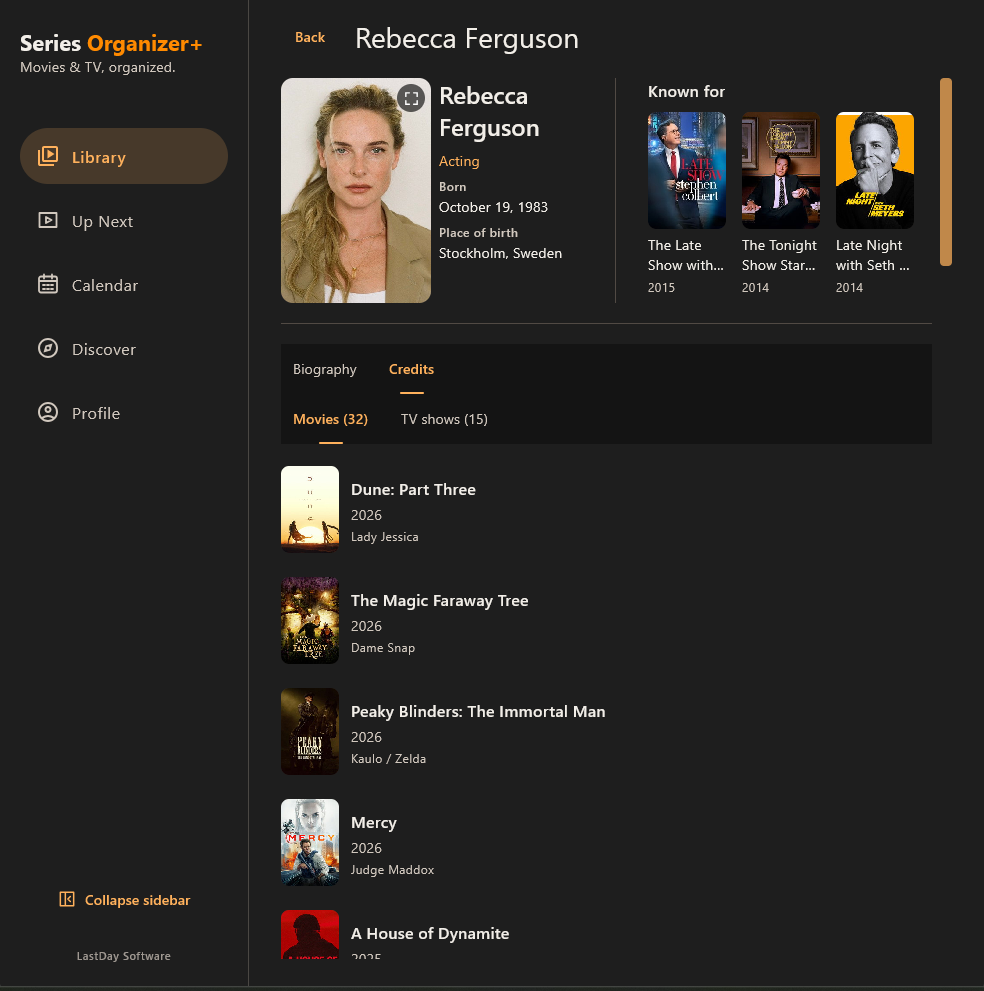
Explore movie and TV roles, then open a title to discover more.
Know what is ready to resume and what is waiting for the next episode.
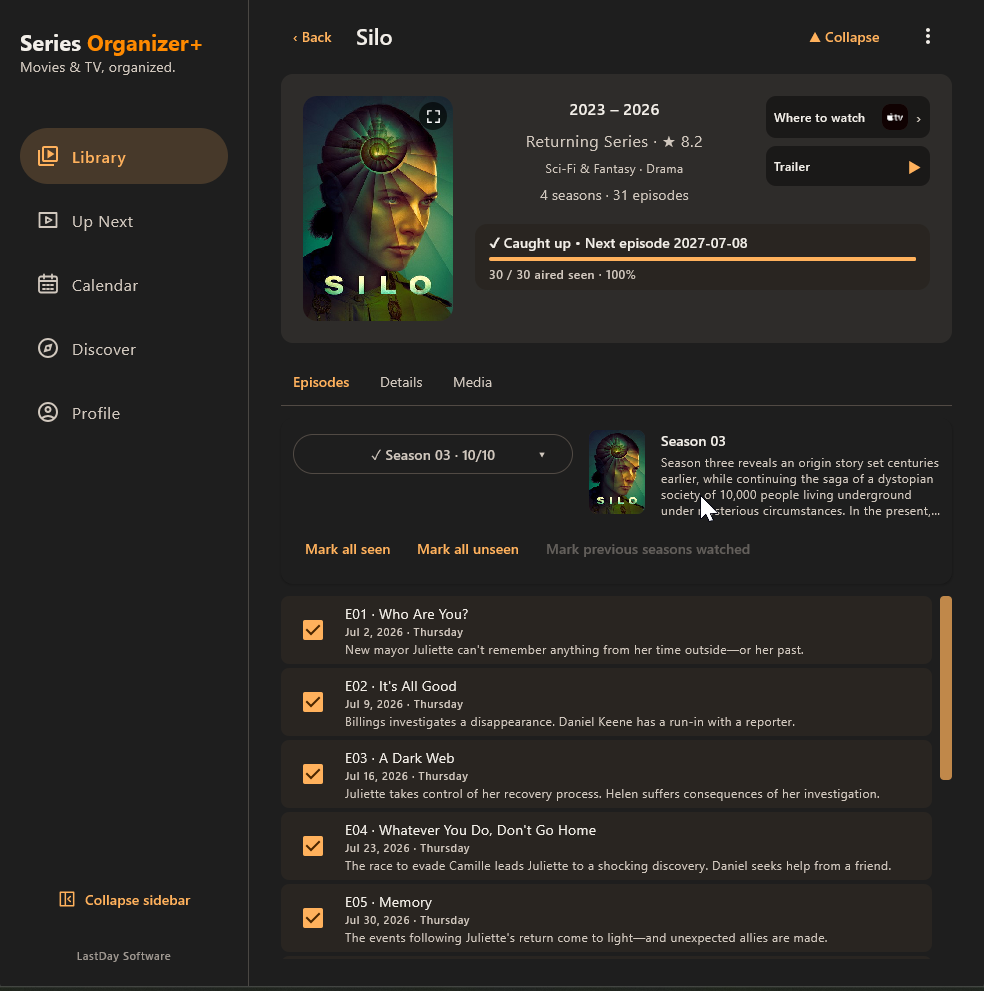
Season and episode navigation remain central to the whole Series Organizer idea.
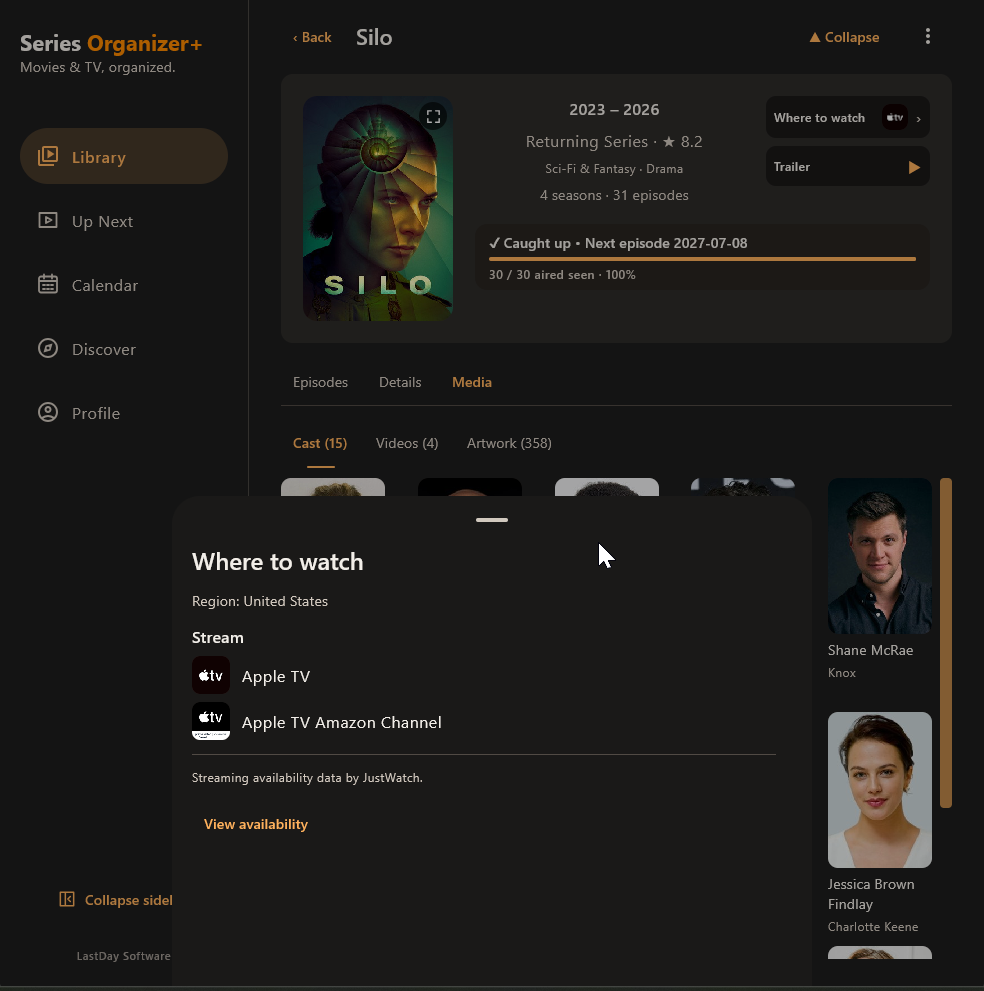
Check regional streaming availability, with data credited to JustWatch.
YOUR DATA
Your Library lives on your device and remains available even when you're signed out or offline.
Optional Google sign-in lets you create manual cloud backups of your Library and tracking data, ready to restore when you need them.
Portable profile settings also sync between supported devices. After completing initial account sync, you can enable automatic sync: Desktop checks while open, including in the tray; Android checks while the app is in the foreground. Conflicts still require review.
Cloud Backup v1 is manual. Signing in does not automatically upload your Library, and cloud backup does not silently replace your local data.
WINDOWS DESKTOP TOOLS
Releases and Local Files now use the same familiar filters and compact actions as the rest of Desktop.
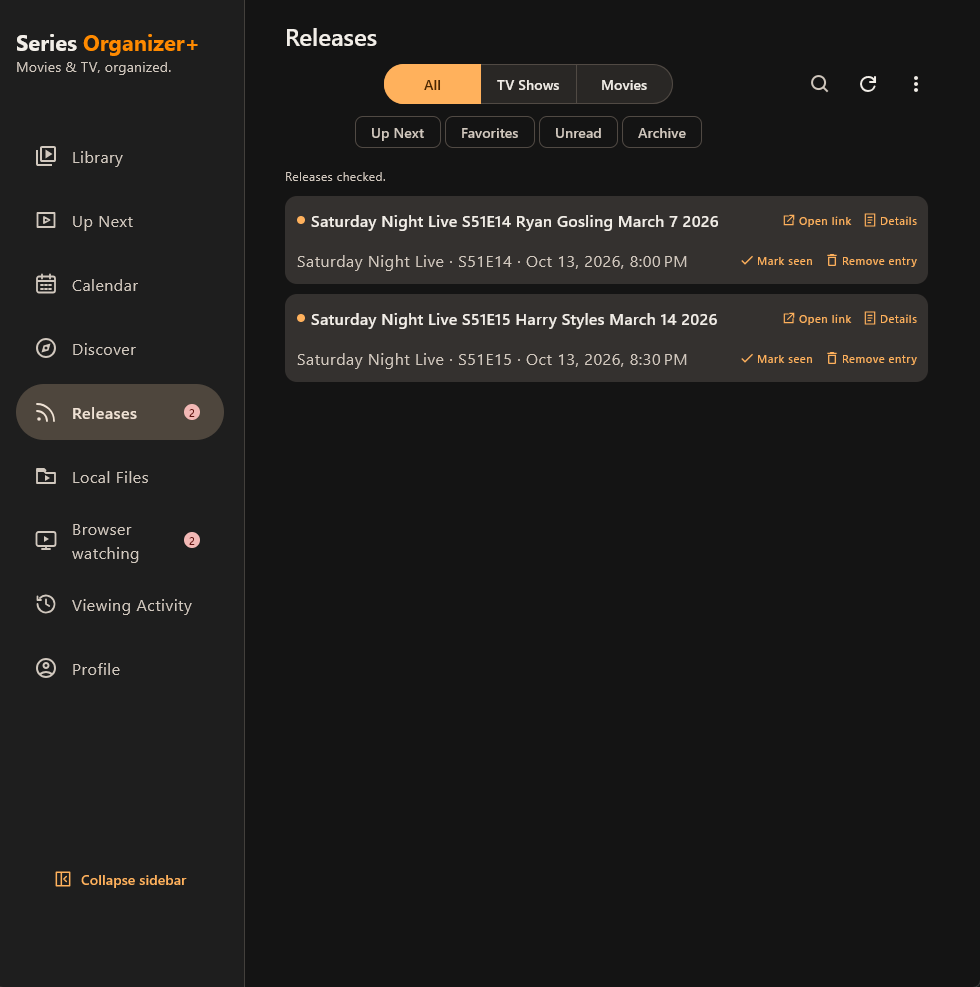
Review matching feed entries, filter unread items, and mark matched movies or episodes seen or remove entries.
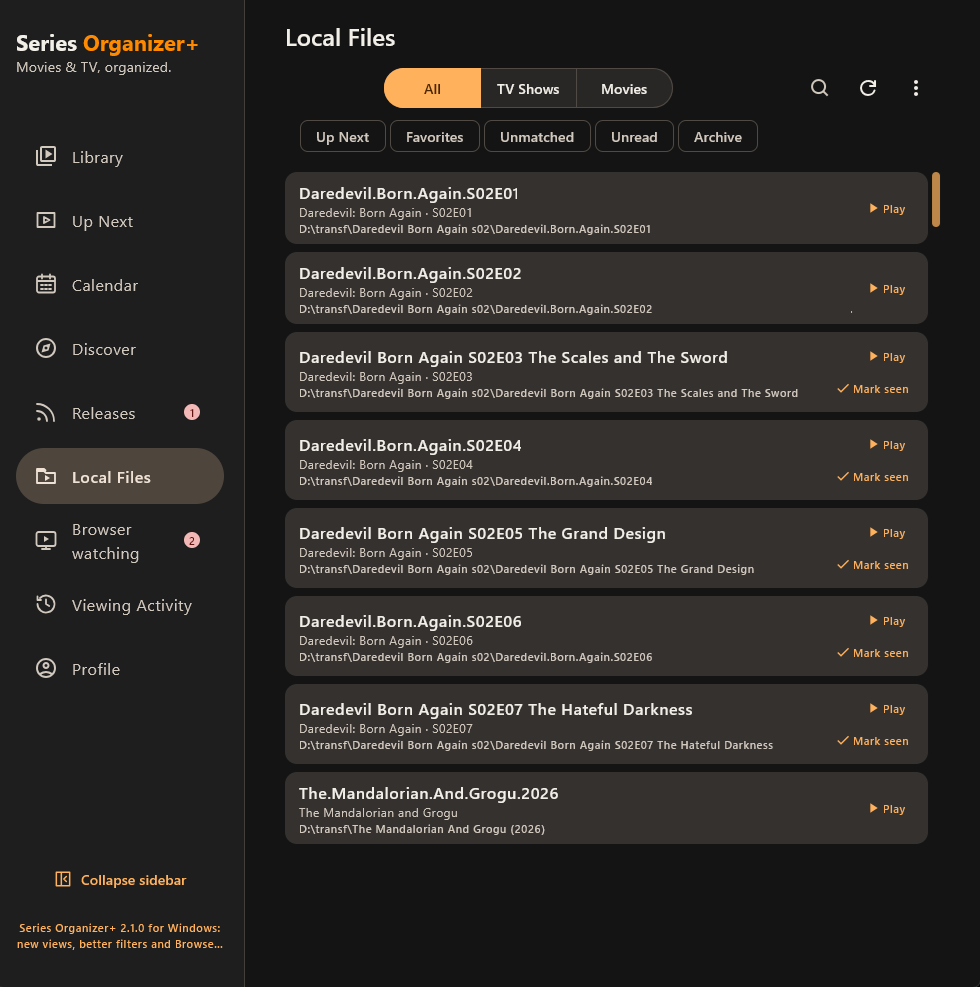
Scan folders for movies and episodes, review unmatched files, and play or mark matched titles seen.
THE SERIES ORGANIZER STORY
Long before Series Organizer+, the problem was wonderfully simple: the list of TV shows kept growing, and remembering the latest watched season and episode became harder and harder.
The first solution was little more than TVShows.txt. Then that text file turned into an application. And that application kept growing.
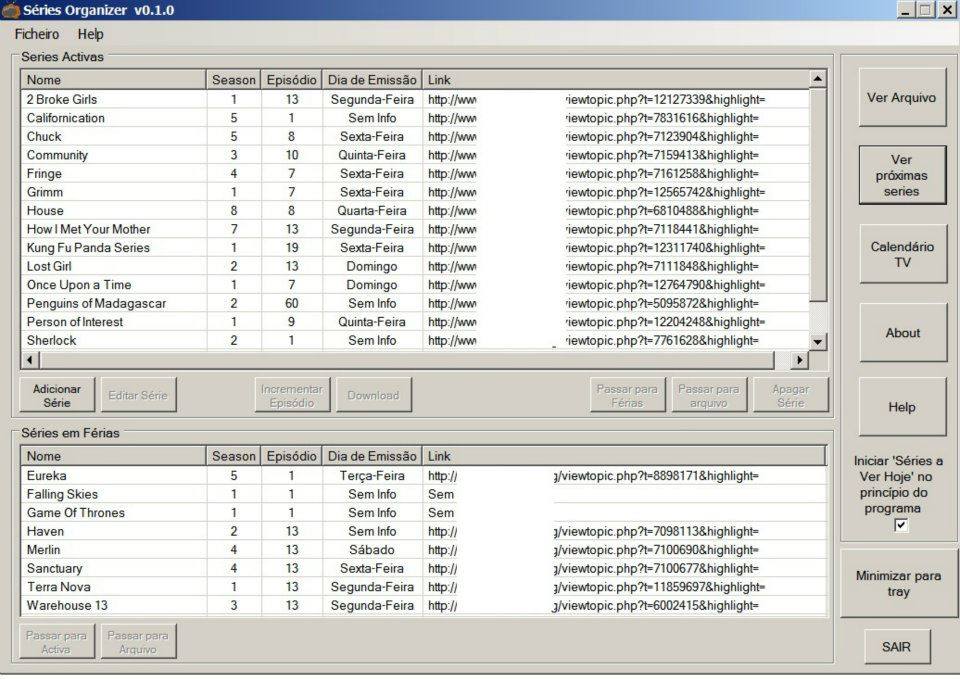
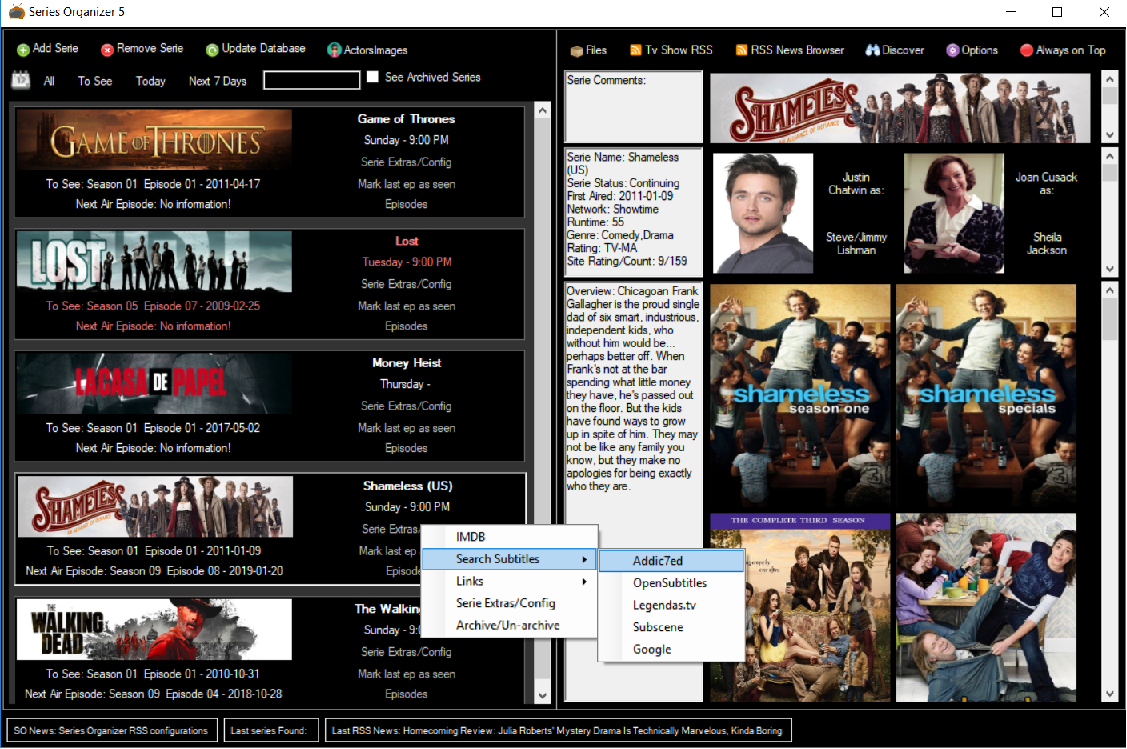
The first Series Organizer was intentionally simple: shows, seasons, episodes and a way to remember where you had stopped.
It wasn't pretty. It didn't need to be. It solved the problem.
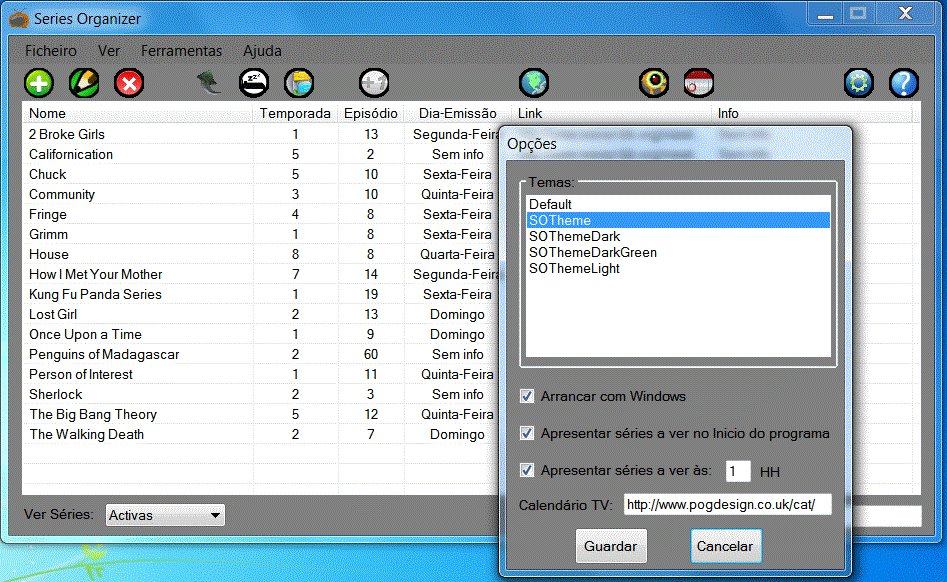
The second generation moved beyond the spreadsheet-like beginnings. A proper toolbar, visual controls, themes and more options began shaping the personality of the application.
Series Organizer began pulling in richer information: episodes, air dates, descriptions, artwork and online metadata.
It was no longer only about remembering a number. The tracker was becoming a place to explore the shows themselves.
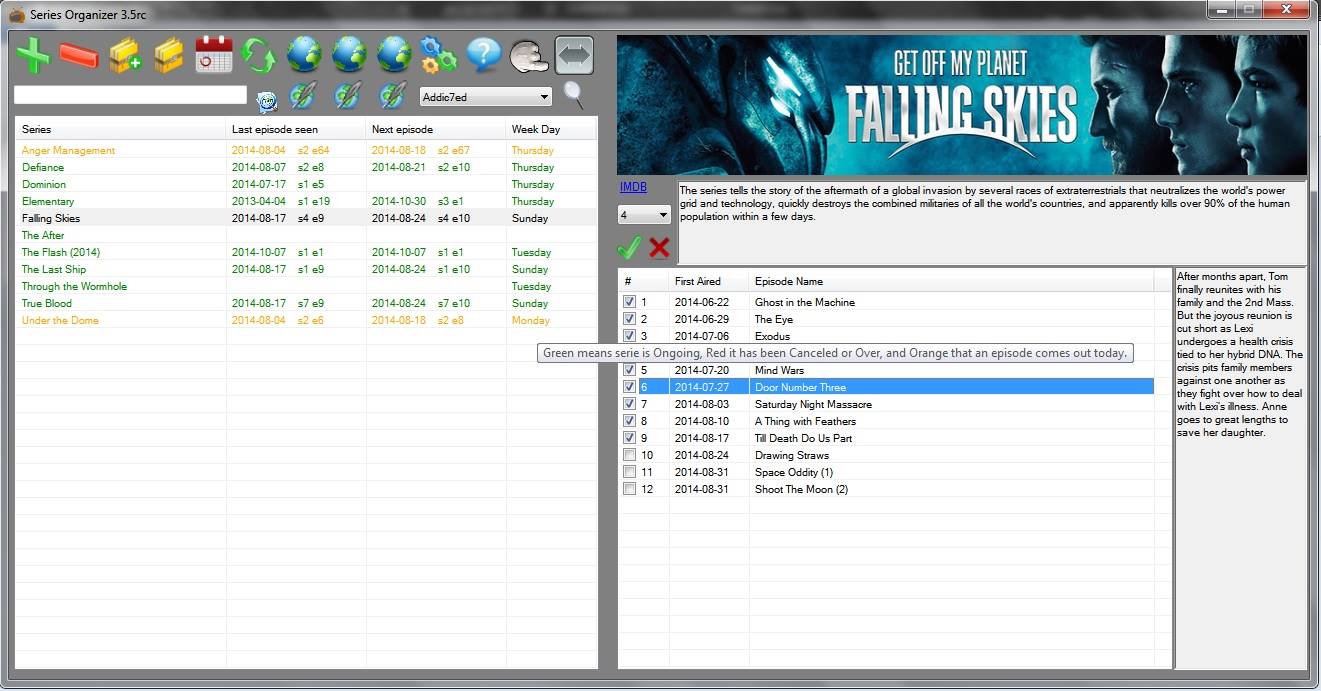
Dark surfaces, artwork, actors, episode information and orange highlights became part of the Series Organizer identity.
The project had grown from a tracker into a much richer desktop companion for television.
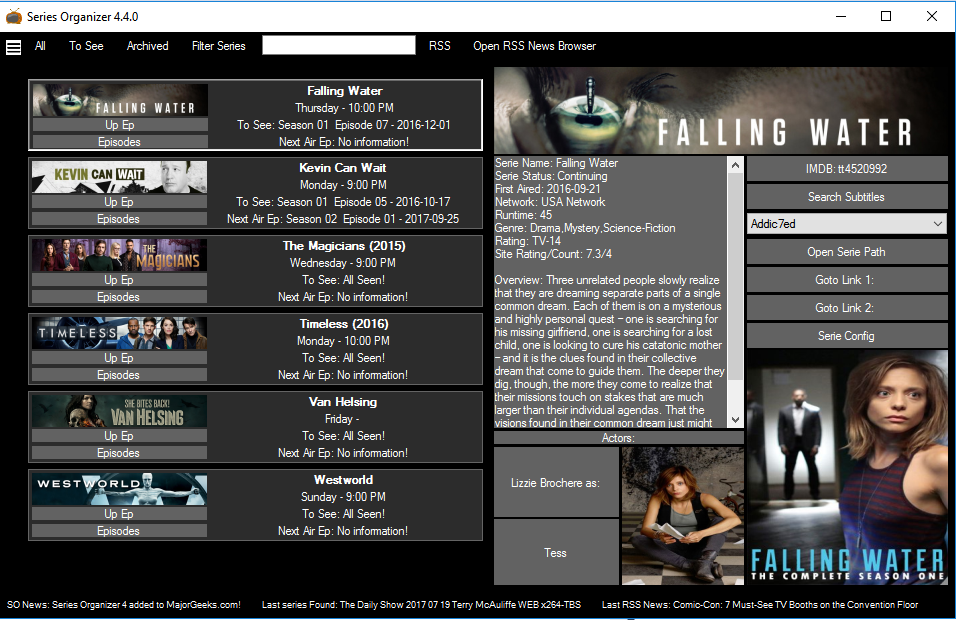
Series Organizer 5 brought together tracking, artwork, cast information, discovery tools, RSS, subtitles and years of experimentation.
Then development stopped.
The idea didn't.
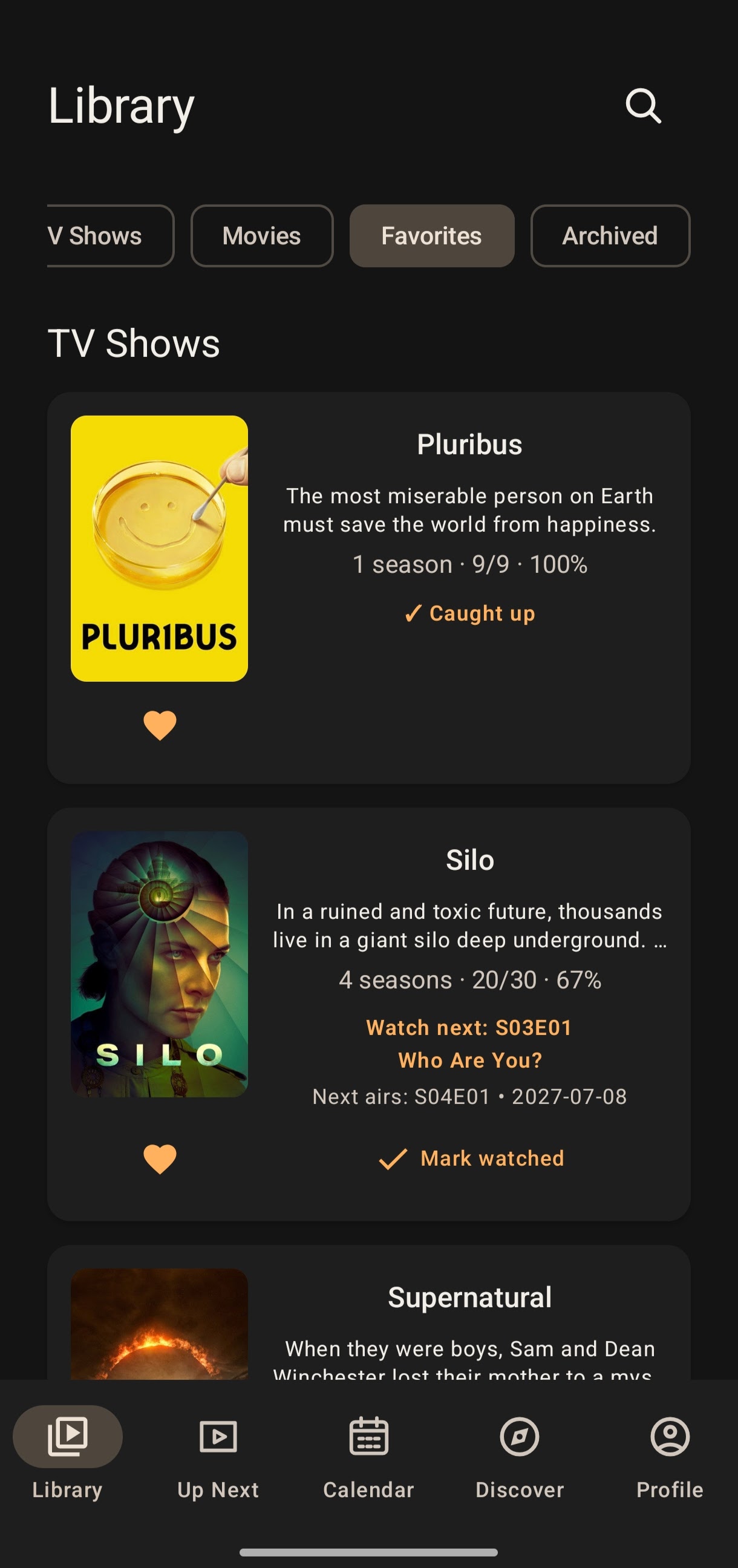
Years later, Series Organizer returns — rebuilt from the ground up for movies, TV, modern platforms and a much bigger vision.
WHAT'S NEXT
Android is now on Google Play, Windows is available to download, and both experiences will keep improving.